The Ultimate WordPress Theme Detector: Uncover Any Website’s Design Secrets
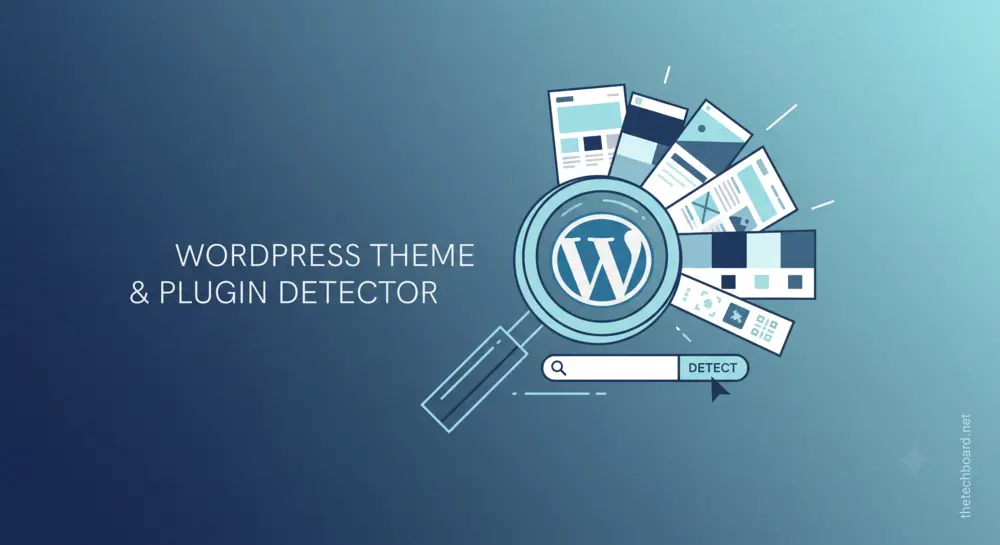
Welcome to The Tech Board’s official WordPress theme detector. Have you ever stumbled upon a beautifully designed, highly functional website and found yourself wondering, “What WordPress theme is that?” You are certainly not alone in this. Whether you are a professional web developer, a digital marketing expert, a small business owner, or an enthusiast looking to launch your very first blog, finding the perfect design foundation is half the battle.
Instead of spending countless hours scrolling through thousands of templates in repositories and premium marketplaces, the smartest shortcut is to learn directly from the best. Our advanced wordpress theme and plugin detector is specifically designed to take the guesswork out of web design and development. By simply entering a target URL, you can instantly peek behind the digital curtain to discover the exact framework, design templates, and powerful extensions driving your favorite websites.
Let’s dive deep into everything you need to know about using a theme and plugin detector, how it can radically elevate your web development process, and why this specific tool right here on thetechboard.net will quickly become your ultimate go-to resource for competitor analysis and design inspiration.
What is a WordPress Theme Detector?
At its core, a wordpress theme detector is a specialized, web-based analytical tool that scans the raw source code of a given website to identify the specific WordPress template installed on it. When a website is built using WordPress—which currently powers well over 40% of the entire internet—it relies on a highly specific and predictable file structure. Every single theme, regardless of how complex it is, has a core style.css file. This critical file contains metadata, including the theme’s official name, the author or development agency, the current version number, and the licensing details.
However, modern websites are rarely just a basic, out-of-the-box theme. They are complex ecosystems consisting of visual page builders, performance optimizers, and functional add-ons. That is precisely why our tool functions as a comprehensive wordpress theme and plugin detector. It does not just stop at the surface level. It digs much deeper into the site’s digital architecture to identify the active plugins that give the website its unique, interactive capabilities—such as e-commerce shopping carts, secure contact forms, aggressive caching mechanisms, and advanced SEO enhancements.
In short, a theme and plugin detector acts as a digital magnifying glass, allowing you to seamlessly reverse-engineer the success of top-performing websites without needing a degree in computer science or coding expertise.
How Does Our WordPress Theme and Plugin Detector Work?
Using the tool here on thetechboard.net is incredibly straightforward and user-friendly. We have optimized the backend processing and the user interface to ensure that you get lightning-fast, 100% accurate results in just a matter of seconds.
Here is a simple, step-by-step guide on how to utilize our wordpress theme detector effectively:
- Locate the Target URL: Browse the web and find the exact website you want to analyze. Make sure it is a live, publicly accessible WordPress site.
- Copy the Address: Copy the full URL (including the https://) from your browser’s address bar.
- Paste and Scan: Paste the copied link directly into the search bar of our wordpress theme and plugin detector located above this article.
- Hit Detect: Click the primary detection button and let our intelligent algorithm go to work.
- Analyze the Results: Within mere seconds, the tool will generate a highly readable, comprehensive report detailing the theme name, version, author, and a curated list of all detected plugins.
Behind the scenes, our tool is doing the heavy lifting for you. It sends an automated request to the target server, retrieves the publicly available HTML, CSS, and JavaScript source code, and parses the data looking for specific WordPress footprints (like /wp-content/themes/ and /wp-content/plugins/). It then cross-references this extracted data with an extensive, continuously updated database of known themes and plugins to give you a polished report.
Why You Need a Theme and Plugin Detector in Your Toolkit
You might be wondering why reverse-engineering a website’s architecture is so fundamentally important. Using a reliable theme and plugin detector offers several distinct, powerful advantages that can save you immense amounts of time, money, and frustration.
1. Unmatched Competitor Analysis
In today’s hyper-competitive digital landscape, keeping a close eye on your competitors is crucial for survival. If a rival business in your niche has a website that loads incredibly fast, ranks highly on search engines, and boasts an amazing, friction-free user experience, you need to know exactly how they built it. By running their URL through our wordpress theme detector, you can identify the exact technical foundation they are using, allowing you to level the playing field and upgrade your own digital presence.
2. Instant Design Inspiration
Staring at a blank screen when trying to design a new website from scratch can be a daunting experience. By actively browsing the web and using a wordpress theme and plugin detector on sites that visually catch your eye, you can easily build a mood board of proven, high-quality themes. This guarantees that you are starting your web development process with a premium, well-coded template rather than taking a blind shot in the dark with an unknown file.
3. Seamless Troubleshooting and Client Handoffs
Freelance web developers and agencies frequently take over legacy sites from previous designers and have absolutely no idea what the previous team used to build it. A quick, five-second scan with our tool will instantly reveal the active theme framework and all installed plugins. This makes it infinitely easier to update, troubleshoot, or replace outdated software without breaking the live site.
4. Crucial Security Awareness
Outdated themes and vulnerable plugins are the leading cause of hacked WordPress websites. By identifying exactly what software a particular site is running, security professionals and developers can check if those specific versions have known security patches, helping to secure the broader web ecosystem.
Manual Detection vs. Using Our Automated Tool
For the highly tech-savvy users out there, it is technically possible to detect a theme manually without a tool. You can right-click on any webpage, select “View Page Source” (or use the CTRL+U shortcut), and then use the browser’s find function (CTRL+F) to manually search for “style.css” or the “wp-content/themes” directory. By clicking on the linked stylesheet, you can read the header text to manually extract the theme name.
However, this manual method is deeply flawed, highly inefficient, and often leads to dead ends for several reasons:
- Minified and Cached Code: Many modern, high-traffic websites use aggressive caching and minification plugins. These tools purposefully strip out human-readable comments and combine multiple CSS files into one unreadable block of text, making it nearly impossible for a human eye to parse the original theme data.
- The Problem of Child Themes: Professional developers rarely use a parent theme completely out of the box. They use “child themes” to make safe customizations. If you check the code manually, you might only see the name of a custom child theme (e.g., “My Bakery Theme”) and completely miss the powerful, premium parent framework (like Astra, GeneratePress, or Divi) that is actually driving the site’s core functionality.
- Hidden Plugins: Finding plugins manually requires sifting through thousands of lines of raw HTML and JavaScript code. Our automated theme and plugin detector circumvents this by recognizing backend plugin footprints instantly.
- Time-Consuming: Doing this manual investigation for ten or twenty different websites during the research phase would take hours. Our tool accomplishes the exact same task in under a minute.
Relying on an automated wordpress theme and plugin detector guarantees significantly higher accuracy, catches hidden files, and is a much better use of your valuable time.
What Exact Information Can You Extract?
When you utilize the tool provided here on thetechboard.net, you are not just getting a simple, one-word answer. You receive a robust, multifaceted data profile about the target website. Here is exactly what our wordpress theme detector is programmed to uncover:
- Theme Name: The official, commercial title of the installed template.
- Theme Version: Crucial for knowing if the site is actively maintained and up-to-date with the latest features and security patches.
- Theme Author/Provider: The development agency or individual programmer who coded the theme, almost always accompanied by a direct link to their official website or marketplace profile (like ThemeForest) so you can purchase it yourself.
- Parent vs. Child Theme Data: If the target site utilizes a custom child theme for unique branding, our tool will intelligently identify it, but more importantly, it will bypass that facade to reveal the foundational parent theme underneath.
- Comprehensive Plugin List: A highly curated list of the active plugins powering the site’s interactive functionality, from complex SEO software to intuitive drag-and-drop page builders.
The Critical Importance of a Plugin Detector
While discovering the active theme is fantastic, the true magic and power of a modern WordPress site almost always lie in its plugins. This is exactly why a combined theme and plugin detector is vastly superior to a simple, standalone theme checker.
A theme dictates the aesthetic—how a website looks—but plugins dictate the engine—how a website actually functions. For example, you might find a beautiful, minimalist blog theme using our tool, but you quickly realize the site also features a complex appointment booking system, a dynamic image slider, and a robust, mobile-friendly mega-menu. Those specific features are almost certainly powered by third-party plugins, not the core theme itself.
By accurately identifying these add-ons, you can perfectly replicate complex functionalities. Whether your competitor is using Elementor or WPBakery for frontend page building, WooCommerce for processing digital sales, Yoast or RankMath for dominating search engine rankings, or WP Rocket for blazing-fast speed optimization, uncovering this specific software stack is the ultimate, foolproof blueprint for web development success.
How to Choose the Right WordPress Theme After Detection
Once you have heavily utilized our wordpress theme detector to gather a solid list of potential templates used by industry leaders, how do you decide which one to actually install on your own server? Finding a theme a competitor uses is merely step one; validating it for your own specific business needs is step two. Keep these vital factors in mind before making a purchase:
1. Speed and Core Web Vitals
Not all WordPress themes are coded with efficiency in mind. Some are heavily bloated with unnecessary features, massive JavaScript libraries, and poorly written code that will severely slow down your site’s load time. Take the theme name you discovered and run it through independent speed testing tools. Look specifically for themes described by the community as lightweight or explicitly optimized for Google’s Core Web Vitals.
2. True Responsiveness and Mobile Optimization
In today’s mobile-first indexing world, your chosen theme absolutely must look incredible on smartphones and tablets. Do not just take the developer’s word for it. Ensure the theme automatically and gracefully adjusts its layout, typography, and navigation menus based on the user’s screen size.
3. Strict Plugin Compatibility
Since you have already used our theme and plugin detector, you likely have a firm list of mandatory plugins you need to run your business. Ensure the theme you are about to purchase officially supports major plugins. If you are building an online store, absolute compatibility with WooCommerce is non-negotiable.
4. Update Frequency and Developer Support
Before committing financially to a theme, thoroughly check its sales page on the WordPress repository or the developer’s official site. When was the exact date it was last updated? Does the development team offer dedicated, responsive customer support? Installing an abandoned theme is a massive security risk and a guaranteed way to break your site in the future.
Best Practices for Replicating a Website’s Design
It is important to state that using our wordpress theme detector to find out how a site is architecturally built is entirely legal and completely ethical—it relies solely on parsing publicly visible code sent to your browser. However, there is a very fine, distinct line between drawing inspiration and committing blatant plagiarism.
When you uncover the specific theme and plugins utilized by a highly successful competitor, use that extracted information as a structural blueprint, not a license to copy their identity. You should absolutely purchase the same premium theme and install the exact same performance-enhancing plugins. But from there, you must inject your own unique brand identity. Change the color palette to strictly match your corporate logo, utilize your own original typography choices, upload unique, high-resolution photography, and most importantly, write your own high-quality, original content. The ultimate goal is to match their technical backend performance while entirely outshining their creative frontend execution.
Frequently Asked Questions (FAQs)
Is this WordPress theme detector completely free to use?
Yes, the detection tool provided right here on thetechboard.net is 100% free forever. You can scan as many different URLs as you like, at any time of day, without any hidden fees, mandatory account creations, or premium subscriptions.
Can the tool detect highly customized or entirely bespoke themes?
If a wealthy corporation or agency is using a completely custom-built theme coded from scratch that is not available on public marketplaces, our wordpress theme and plugin detector will still successfully identify its custom internal name and the author based on the stylesheet data. However, there obviously will not be a public download link provided, as that specific code is proprietary to that individual business.
Why did the detector fail to find any theme on a specific site?
There are a few common reasons this might occur. First and foremost, the website might not be built on the WordPress CMS at all (it could be running on Shopify, Wix, Squarespace, or a custom React/Node.js application). Second, the website administrator may have proactively used highly advanced security plugins to deliberately obfuscate their source code, intentionally hiding their WordPress footprints, version numbers, and stylesheet directories from public view.
Will using this tool notify the owner of the target website?
Absolutely not. Our theme and plugin detector operates in a completely passive manner. It only reads the public-facing HTML and CSS code that the target server already voluntarily sends to your web browser when you visit a site. The website owner will have absolutely no idea that you scanned their URL or investigated their architecture.
Is it safe to immediately install the themes and plugins I discover?
It is perfectly safe, provided you acquire the software legitimately. You must always download themes and plugins directly from the official WordPress.org repository or purchase them securely from verified developers and reputable premium marketplaces. You should absolutely never download “nulled,” cracked, or pirated versions of the premium software you discover through our tool, as these illegal files are notoriously injected with malicious malware, backdoors, and SEO spam that will destroy your website.
Conclusion
Building a highly successful, fast-loading, and high-converting website does not have to be a frustrating, mysterious process of endless trial and error. By leveraging the right analytical tools, you can easily fast-track your web development journey and guarantee that you are using reliable, industry-standard software. Our dedicated wordpress theme detector right here on thetechboard.net is meticulously engineered to provide you with the most accurate, comprehensive, and actionable insights into any WordPress site on the internet.
Whether you are a seasoned agency developer conducting deep technical research for a major client, or a complete beginner seeking the perfect aesthetic look for your brand new lifestyle blog, a robust wordpress theme and plugin detector is your ultimate digital companion. Scroll back up to the top of the page, paste a competitor’s link into the search bar, and start uncovering the digital blueprints of the web’s greatest designs today!