
Your website is not a “set it and forget it” asset. It’s a living system that requires constant updates, monitoring, and optimization. Without proper care, even the best-built WordPress site can become slow, vulnerable, and outdated.
This is where a WordPress website maintenance service becomes essential.
Whether you’re a business owner, startup, or agency in the UAE, maintaining your website ensures security, performance, and consistent growth. In this guide, we’ll break down everything you need to know about WordPress maintenance—and how it directly impacts your business success.
What is a WordPress Website Maintenance Service?

A WordPress website maintenance service is a comprehensive solution that ensures your website remains:
- Secure from hackers and malware
- Up-to-date with the latest plugins and themes
- Fast-loading and optimized for users
- Fully functional without errors or downtime
Key Components of Website Maintenance
| Service Area | What It Includes |
|---|---|
| Core Updates | WordPress version updates |
| Plugin & Theme Updates | Compatibility and security patches |
| Security Monitoring | Malware scans, firewall setup |
| Backups | Regular automated backups |
| Performance Optimization | Speed, caching, database cleanup |
| SEO Health Checks | Technical SEO improvements |
Why WordPress Website Maintenance Matters for Businesses
Ignoring maintenance is one of the biggest mistakes businesses make.
🚨 Here’s what happens without maintenance:
- Website gets hacked
- Pages load slowly
- SEO rankings drop
- Broken features hurt conversions
- Downtime leads to lost revenue
✅ Benefits of Regular Maintenance
- Improved Security – Protects your site from cyber threats
- Better Performance – Faster load times improve UX and SEO
- Higher Google Rankings – Optimized technical SEO
- Increased Conversions – Smooth user experience
- Peace of Mind – Experts handle everything
How WordPress Website Maintenance Impacts SEO
A well-maintained website is a Google favorite.
🔍 Key SEO Factors Affected by Maintenance
1. Website Speed (Core Web Vitals)
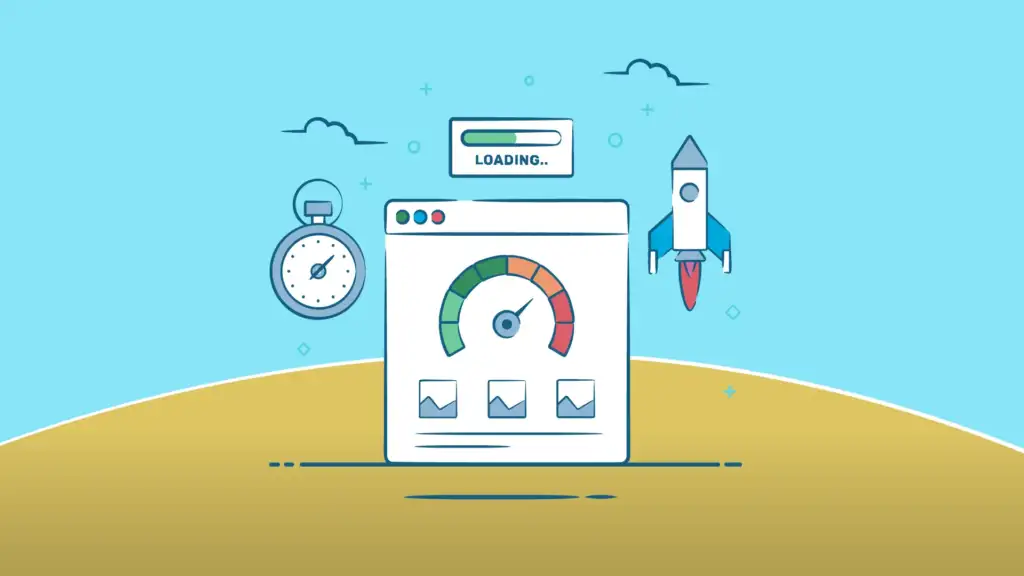
Google prioritizes fast websites. Maintenance ensures:
- Optimized images
- Clean database
- Proper caching
2. Technical SEO Health
Regular audits fix:
- Broken links
- Crawl errors
- Duplicate content
3. Mobile Optimization
Maintenance ensures your site works perfectly across devices.
4. Uptime & Availability
Frequent downtime negatively impacts rankings.
Step-by-Step WordPress Maintenance Process
Here’s how a professional WordPress website maintenance service works:
1. Website Audit
- Identify vulnerabilities
- Check performance issues
2. Backup Setup
- Daily or weekly backups
- Secure cloud storage
3. Updates & Patches
- WordPress core updates
- Plugin/theme updates
4. Security Monitoring
- Malware scanning
- Firewall protection
5. Performance Optimization
- Speed improvements
- Database optimization
6. Ongoing Monitoring
- 24/7 uptime tracking
- Regular reports
Common WordPress Maintenance Problems (and Solutions)

❌ Problem 1: Website Breaks After Updates
Solution: Staging environment testing before updates
❌ Problem 2: Slow Website Speed
Solution: Image compression, caching, and code optimization
❌ Problem 3: Malware Attacks
Solution: Firewall + real-time security scanning
❌ Problem 4: Plugin Conflicts
Solution: Regular compatibility checks
Essential Tools Used in WordPress Maintenance
Professional services rely on powerful tools:
- Security: Wordfence, Sucuri
- Backup: UpdraftPlus, BlogVault
- Performance: WP Rocket, LiteSpeed Cache
- SEO: Rank Math, Yoast SEO
Real-World Use Cases
🏢 Small Business Website
A local business in the UAE improved:
- Page speed by 60%
- SEO traffic by 40%
After using a WordPress website maintenance service
🛒 eCommerce Store (WooCommerce)
Regular maintenance prevented:
- Checkout errors
- Payment failures
- Security breaches
📈 Agency Website
Maintenance ensured:
- High uptime
- Client trust
- Better lead conversions
WordPress Maintenance vs DIY: What’s Better?
| Factor | DIY Maintenance | Professional Service |
|---|---|---|
| Time Investment | High | Low |
| Technical Skills | Required | Not needed |
| Security Level | Medium | High |
| Performance | Basic | Advanced |
| Reliability | Risky | Consistent |
👉 Conclusion: Hiring experts saves time, reduces risk, and delivers better results.
Expert Tips for Effective WordPress Maintenance
- Always backup before updates
- Use lightweight plugins
- Avoid nulled themes/plugins
- Monitor uptime regularly
- Optimize images and media
- Keep PHP version updated
Common Mistakes to Avoid
- ❌ Ignoring updates
- ❌ Not having backups
- ❌ Using too many plugins
- ❌ Choosing cheap hosting
- ❌ Neglecting security measures
Why Choose TechBoard for WordPress Website Maintenance Service
If you’re serious about your online presence, you need more than just basic maintenance—you need a strategic partner.
At The TechBoard, we provide:
🔧 WordPress Development

Custom-built, scalable, and high-performance websites tailored to your business needs.
👉 Explore:
https://thetechboard.net/product/wordpress-theme-customization-service/
🔍 WordPress SEO Optimization
We ensure your site is fully optimized for search engines and ready to rank.
👉 Learn more:
https://thetechboard.net/product/wordpress-seo-optimization-service/
⚡ Website Speed Optimization
Improve Core Web Vitals and user experience with advanced performance tuning.
🔄 WordPress Migration Service
Safe, fast, and zero-downtime website transfers.
👉 Check service:
https://thetechboard.net/product/wordpress-migration-service-safe-fast-zero-downtime-transfer/
🛠 Website Maintenance & Security
Complete WordPress website maintenance service including:
- Regular updates
- Security monitoring
- Performance optimization
- Backup management
👉 Get started:
https://thetechboard.net/product/wordpress-website-maintenance-service/
FAQs
1. What is included in a WordPress website maintenance service?
It includes updates, backups, security monitoring, performance optimization, and SEO checks to keep your website running smoothly.
2. How often should I maintain my WordPress website?
Maintenance should be done weekly or monthly, depending on your website’s complexity and traffic.
3. Is WordPress maintenance necessary for small websites?
Yes. Even small websites are vulnerable to security threats and performance issues without maintenance.
4. Can I do WordPress maintenance myself?
Yes, but it requires technical knowledge. A professional service ensures better security and performance.
5. How much does WordPress website maintenance cost?
Costs vary depending on services, but investing in maintenance saves money by preventing major issues.
6. Does maintenance improve SEO rankings?
Absolutely. Regular maintenance improves speed, uptime, and technical SEO—all crucial ranking factors.
Conclusion
A WordPress website maintenance service is not optional—it’s essential for long-term success.
From security and performance to SEO and user experience, regular maintenance ensures your website continues to grow, attract visitors, and convert leads.
If you want to avoid costly downtime, security risks, and lost rankings, it’s time to invest in professional maintenance.
👉 Take the next step: Partner with The TechBoard and keep your website running at peak performance—secure, fast, and optimized for growth.
Still got questions? Ask us on WhatsApp.